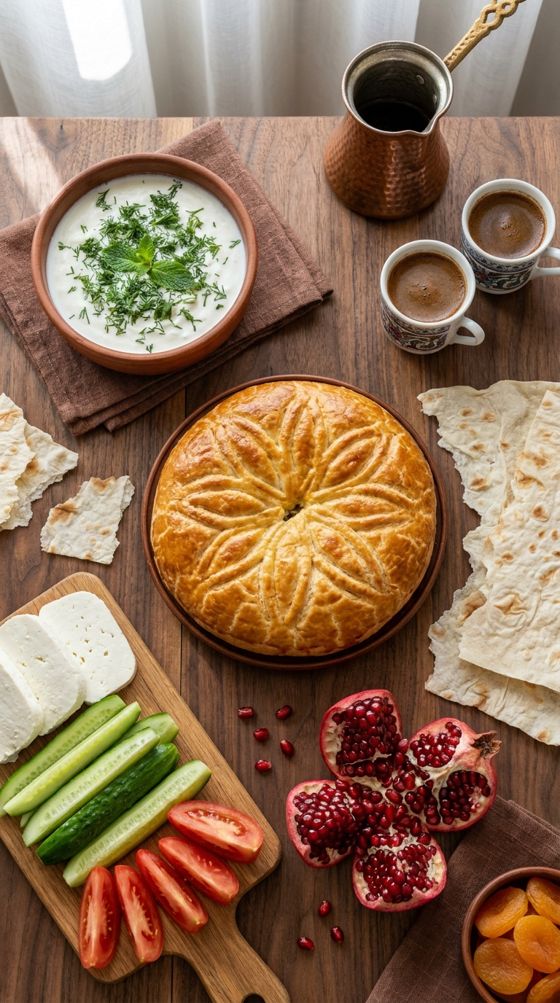
These are the models you can run today. Names stay in English in every language.
GPT
GPT Image 2.5
Image
You get: Clean product-style photos. Best for shop cards and catalogues.
How to use
Describe the picture: who, where, what style.
You can add up to 16 photos — the model builds on them.
The price is on the button before you start.
Example: a real result of this model, unedited.
9 credits per image · pick the quality inside
Ready in ~1 min
The gift credits are enough
NB
Nano Banana 2
Image
You get: Makes a clear picture from your text. Best for posts and everyday scenes.
How to use
Describe the picture: who, where, what style.
You can add up to 10 photos — the model builds on them.
The price is on the button before you start.
Example: a real result of this model, unedited.
11 credits per image · pick the quality inside
Ready in ~1 min
The gift credits are enough
NB
Nano Banana 2.1
Image
You get: Google: accurate text and the same face in every shot. 1K, 2K or 4K.
How to use
Describe the picture: who, where, what style.
You can add up to 10 photos — the model builds on them.
The price is on the button before you start.
6 credits per image · pick the quality inside
Ready in ~1 min
The gift credits are enough
NB
Nano Banana Pro
Image
You get: More careful detail in the picture. Best when the scene must look exact.
How to use
Describe the picture: who, where, what style.
You can add up to 8 photos — the model builds on them.
The price is on the button before you start.
Example: a real result of this model, unedited.
22 credits per image · pick the quality inside
Ready in ~1 min
The gift credits are enough
Qw
Qwen Image 3
Image
You get: A clear picture from text. Best for everyday stills on a small budget.
How to use
Describe the picture: who, where, what style.
The price is on the button before you start.
Example: a real result of this model, unedited.
6 credits per image · pick the quality inside
Ready in ~1 min
The gift credits are enough
SD
Seedream 5 Lite
Image
You get: A picture at a lighter price. Best for drafts and posts.
How to use
Describe the picture: who, where, what style.
The price is on the button before you start.
Example: a real result of this model, unedited.
14 credits per image · pick the quality inside
Ready in ~1 min
The gift credits are enough
SD
Seedream 5.5
Image
You get: Photos from text and edits that don’t spoil the picture: realistic skin and light, transparent backgrounds, crisp text. 1K and 1.5K are 5 credits, 2K is 8, plus 1 credit per photo you upload.
How to use
Describe the picture: who, where, what style.
You can add up to 10 photos — the model builds on them.
The price is on the button before you start.
Example: a real result of this model, unedited.
5 credits per image · pick the quality inside
Ready in ~1 min
The gift credits are enough
Su
Suno V6
Music
You get: A short song from your text. Best for personal use.
How to use
Write the genre, the mood and what the song is about.
The price is on the button before you start.
15 credits
Ready in ~2 min
The gift credits are enough
GPT
GPT 6.1 Sol
Chat
You get: Newest GPT: exact, careful answers.
How to use
Ask in plain words, like you would a person.
The price is on the button before you start.
from 1 credit
Ready in ~1 min
The 30 gift credits are not enough
GPT
GPT-6 Sol
Chat
You get: A more careful text answer.
How to use
Ask in plain words, like you would a person.
The price is on the button before you start.
from 1 credit
Ready in ~1 min
The 30 gift credits are not enough
Gm
Gemini 4 Argon
Chat
You get: New Gemini: plans, analysis and clear explanations.
How to use
Ask in plain words, like you would a person.
The price is on the button before you start.
from 1 credit
Ready in ~1 min
The 30 gift credits are not enough
Gm
Gemini 4 Carbon
Chat
You get: Google’s strongest reasoning Gemini: plans, analysis and a long context. From 1 credit, like Gemini 4 Argon.
How to use
Ask in plain words, like you would a person.
The price is on the button before you start.
from 1 credit
Ready in ~1 min
The 30 gift credits are not enough
Kl
Kling 3.0
Video
You get: A short video with sound. Best for shareable clips.
How to use
Describe the scene: who, what they do, how the camera moves.
You can add a photo — the model builds on it.
Clip length — 5 s.
The price is on the button before you start.
90 credits per video · other quality and length options inside
Ready in ~4 min
The 30 gift credits are not enough
Kl
Kling 3.0 Turbo
Video
You get: A faster video. Best when you want speed and quality.
How to use
Describe the scene: who, what they do, how the camera moves.
You can add a photo — the model builds on it.
Clip length — 5 s.
The price is on the button before you start.
Example: a real result of this model, unedited.
81 credits per video · other quality and length options inside
Ready in ~2 min
The 30 gift credits are not enough
Kl
Kling 4.0
Video
You get: Realistic video with sound from text or up to 4 photos. 3–30 s, 720p or 1080p.
How to use
Describe the scene: who, what they do, how the camera moves.
You can add up to 4 photos — the model builds on them.
Clip length — 5 s.
The price is on the button before you start.
129 credits per video · other quality and length options inside
Ready in ~3 min
The 30 gift credits are not enough
PV
PixVerse V6
Video
You get: A short video from text. Best for quick, beautiful clips.
How to use
Describe the scene: who, what they do, how the camera moves.
You can add a photo — the model builds on it.
Clip length — 5 s.
The price is on the button before you start.
Example: a real result of this model, unedited.
33 credits per video · other quality and length options inside
Ready in ~2 min
The 30 gift credits are not enough
Veo
Veo 3.1 Fast
Video
You get: A cleaner short video. Best when quality matters more than speed.
How to use
Describe the scene: who, what they do, how the camera moves.
You can add up to 3 photos — the model builds on them.
Clip length — 8 s.
The price is on the button before you start.
54 credits per video · other quality and length options inside
Ready in ~3 min
The 30 gift credits are not enough
Veo
Veo 3.1 Lite
Video
You get: A short video with sound. Best for quick social clips.
How to use
Describe the scene: who, what they do, how the camera moves.
You can add up to 3 photos — the model builds on them.
Clip length — 8 s.
The price is on the button before you start.
Example: a real result of this model, unedited.
27 credits per video · other quality and length options inside
Ready in ~3 min
The gift credits are enough
FX
FLUX 3 Klein
Image
You get: Very fast, cheap pictures at 1K, 2K or 4K. Best for drafts and ideas.
How to use
Describe the picture: who, where, what style.
The price is on the button before you start.
2 credits per image · pick the quality inside
Ready in ~1 min
The gift credits are enough
GPT
GPT Image 2.6 Economy
Image
You get: A simple 1K picture from your words. One price for every picture.
How to use
Describe the picture: who, where, what style.
The price is on the button before you start.
7 credits per image
Ready in ~1 min
The gift credits are enough
GPT
GPT Image 2.6 Flare
Image
You get: A fast GPT picture with a cleaner layout. Medium quality, 1K, 2K or 4K. The price follows the size.
How to use
Describe the picture: who, where, what style.
The price is on the button before you start.
12 credits per image · pick the quality inside
Ready in ~1 min
The gift credits are enough
GPT
GPT Image 2.6 Sunburst
Image
You get: A refined GPT picture for careful detail. Medium quality, 1K, 2K or 4K. The price follows the size.
How to use
Describe the picture: who, where, what style.
The price is on the button before you start.
12 credits per image · pick the quality inside
Ready in ~1 min
The gift credits are enough
Gk
Grok Imagine Image 2.0
Image
You get: A picture from a short description. Best for simple ideas.
How to use
Describe the picture: who, where, what style.
The price is on the button before you start.
Example: a real result of this model, unedited.
5 credits per image
Ready in ~1 min
The gift credits are enough
NB
Nano Banana 2 Lite
Image
You get: A light, quick picture. Best for a first try.
How to use
Describe the picture: who, where, what style.
You can add up to 10 photos — the model builds on them.
The price is on the button before you start.
Example: a real result of this model, unedited.
5 credits per image
Ready in ~1 min
The gift credits are enough
Qw
Qwen Image 3 Pro
Image
You get: A sharper picture. Best when detail matters more.
How to use
Describe the picture: who, where, what style.
The price is on the button before you start.
Example: a real result of this model, unedited.
8 credits per image · pick the quality inside
Ready in ~1 min
The gift credits are enough
SD
Seedream 5 Pro
Image
You get: Strong stills for covers and posters.
How to use
Describe the picture: who, where, what style.
The price is on the button before you start.
Example: a real result of this model, unedited.
9 credits per image · pick the quality inside
Ready in ~1 min
The gift credits are enough
SD
Seedream 5.0 Flash
Image
You get: A fast picture from a few words. Best when you need something now.
How to use
Describe the picture: who, where, what style.
The price is on the button before you start.
Example: a real result of this model, unedited.
4 credits per image · pick the quality inside
Ready in ~1 min
The gift credits are enough
Wan
Wan 2.7 Image
Image
You get: A picture from your words, or an edit of up to 9 photos. 1K or 2K. One price per picture.
How to use
Describe the picture: who, where, what style.
You can add up to 9 photos — the model builds on them.
The price is on the button before you start.
6 credits per image · pick the quality inside
Ready in ~1 min
The gift credits are enough
Wan
Wan 2.7 Image Pro
Image
You get: A sharper Wan picture. Up to 4K from text. A photo edit stays at 1K or 2K. One price per picture.
How to use
Describe the picture: who, where, what style.
You can add up to 9 photos — the model builds on them.
The price is on the button before you start.
15 credits per image · pick the quality inside
Ready in ~1 min
The gift credits are enough
Z
Z-Image
Image
You get: A simple cheap picture. Best for drafts.
How to use
Describe the picture: who, where, what style.
The price is on the button before you start.
Example: a real result of this model, unedited.
1 credit per image
Ready in ~1 min
The gift credits are enough
Su
Suno Cover
Music
You get: A new version of a song you upload. Personal use.
How to use
Write the genre, the mood and what the song is about.
The price is on the button before you start.
15 credits
Ready in ~2 min
The gift credits are enough
Su
Suno Vocal Separate
Music
You get: Splits vocals and music into two stems.
How to use
Write the genre, the mood and what the song is about.
The price is on the button before you start.
12 credits
Ready in ~1 min
The gift credits are enough
Cl
Claude Fable 5
Chat
You get: Claude for a hard question. You pay for the length of the answer, not one flat fee.
How to use
Ask in plain words, like you would a person.
The price is on the button before you start.
from 1 credit
Ready in ~1 min
The 30 gift credits are not enough
Cl
Claude Sonnet 5.5
Chat
You get: Better for longer text.
How to use
Ask in plain words, like you would a person.
The price is on the button before you start.
from 1 credit
Ready in ~1 min
The 30 gift credits are not enough
DS
DeepSeek V4.1 Flash
Chat
You get: A short, cheap text answer.
How to use
Ask in plain words, like you would a person.
The price is on the button before you start.
from 1 credit
Ready in ~1 min
The 30 gift credits are not enough
GPT
GPT 6.1 Terra
Chat
You get: Fast, budget GPT 6.1: understands photos and files, writes clearly.
How to use
Ask in plain words, like you would a person.
The price is on the button before you start.
from 1 credit
Ready in ~1 min
The 30 gift credits are not enough
Gm
Gemini 3.1 Pro
Chat
You get: Good for plans and ordinary text.
How to use
Ask in plain words, like you would a person.
The price is on the button before you start.
from 1 credit
Ready in ~1 min
The 30 gift credits are not enough
Gm
Gemini 3.8 Flash
Chat
You get: A fast text answer.
How to use
Ask in plain words, like you would a person.
The price is on the button before you start.
from 1 credit
Ready in ~1 min
The 30 gift credits are not enough
Gk
Grok 4.7
Chat
You get: New Grok: lively, direct answers at a low price.
How to use
Ask in plain words, like you would a person.
The price is on the button before you start.
from 1 credit
Ready in ~1 min
The 30 gift credits are not enough
KI
Kimi K3
Chat
You get: Kimi K3: deep reasoning for complex questions.
How to use
Ask in plain words, like you would a person.
The price is on the button before you start.
from 1 credit
Ready in ~1 min
The 30 gift credits are not enough
KI
Kimi K3.1 Pro
Chat
You get: Kimi for a longer thought. You pay for the length of the answer, not one flat fee.
How to use
Ask in plain words, like you would a person.
The price is on the button before you start.
from 1 credit
Ready in ~1 min
The 30 gift credits are not enough
Gm
Gemini 3.8 Flash TTS
Tools
You get: Natural voiceover of your text in many languages.
How to use
Upload a file and press «Create».
The price is on the button before you start.
Price follows the length
Ready in ~1 min
The 30 gift credits are not enough
Gk
Grok Imagine Image 2.0 Edit
Tools
You get: Edits the picture you upload.
How to use
Upload a file and press «Create».
You can add a photo — the model builds on it.
The price is on the button before you start.
5 credits
Ready in ~1 min
The gift credits are enough
Id
Ideogram Character
Tools
You get: Keeps a character from your reference photo.
How to use
Upload a file and press «Create».
You can add a photo — the model builds on it.
The price is on the button before you start.
20 credits
Ready in ~1 min
The gift credits are enough
LS
Lip Sync
Tools
You get: Matches a face to speech. Price follows the audio.
How to use
Upload a file and press «Create».
You can add a photo — the model builds on it.
The price is on the button before you start.
Price follows the length
Ready in ~2 min
The 30 gift credits are not enough
NB
Nano Banana Edit
Tools
You get: Replaces or changes the background of your photo.
How to use
Upload a file and press «Create».
You can add a photo — the model builds on it.
The price is on the button before you start.
6 credits
Ready in ~1 min
The gift credits are enough
Rc
Recraft Crisp Upscale
Tools
You get: Makes a photo a bit crisper.
How to use
Upload a file and press «Create».
You can add a photo — the model builds on it.
The price is on the button before you start.
1 credit
Ready in ~1 min
The gift credits are enough
Rc
Recraft Remove Background
Tools
You get: Removes the background from a photo.
How to use
Upload a file and press «Create».
You can add a photo — the model builds on it.
The price is on the button before you start.
2 credits
Ready in ~1 min
The gift credits are enough
Gm
Gemini Omni 1.2 Flash
Video
You get: Video with sound from text or photos. Up to 15 s, up to 4K. Keeps faces and products more accurately.
How to use
Describe the scene: who, what they do, how the camera moves.
You can add up to 5 photos — the model builds on them.
Clip length — 8 s.
The price is on the button before you start.
65 credits per video · other quality and length options inside
Ready in ~3 min
The 30 gift credits are not enough
Gm
Gemini Omni Flash
Video
You get: Video from text or photos. 4–10 s, up to 4K.
How to use
Describe the scene: who, what they do, how the camera moves.
You can add up to 5 photos — the model builds on them.
Clip length — 6 s.
The price is on the button before you start.
76 credits per video · other quality and length options inside
Ready in ~3 min
The 30 gift credits are not enough
Gk
Grok Imagine
Video
You get: A quick short clip. Best for drafts and tests.
How to use
Describe the scene: who, what they do, how the camera moves.
You can add up to 5 photos — the model builds on them.
Clip length — 6 s.
The price is on the button before you start.
25 credits per video · other quality and length options inside
Ready in ~3 min
The gift credits are enough
Gk
Grok Imagine Video 1.5
Video
You get: Brings your photo to life. 1–15 s, 480p or 720p.
How to use
Describe the scene: who, what they do, how the camera moves.
You can add a photo — the model builds on it.
Clip length — 6 s.
The price is on the button before you start.
25 credits per video · other quality and length options inside
Ready in ~3 min
The gift credits are enough
Hl
Hailuo 2.3
Video
You get: Brings your photo to life. 6 or 10 s, 768p or 1080p.
How to use
Describe the scene: who, what they do, how the camera moves.
You can add a photo — the model builds on it.
Clip length — 6 s.
The price is on the button before you start.
27 credits per video · other quality and length options inside
Ready in ~3 min
The gift credits are enough
HA
HappyHorse 1.1
Video
You get: A video from your text. 3–15 seconds, 720p or 1080p.
How to use
Describe the scene: who, what they do, how the camera moves.
Clip length — 5 s.
The price is on the button before you start.
102 credits per video · other quality and length options inside
Ready in ~2 min
The 30 gift credits are not enough
Kl
Kling 3.0 Motion Control
Video
You get: Copies motion from a video you upload. Price follows that length.
How to use
Describe the scene: who, what they do, how the camera moves.
You can add a photo — the model builds on it.
The price is on the button before you start.
Price follows the length
Ready in ~3 min
The 30 gift credits are not enough
Kl
Kling 3.0 Omni
Video
You get: Video with sound from text or a photo. 3–15 s, up to 4K.
How to use
Describe the scene: who, what they do, how the camera moves.
You can add up to 5 photos — the model builds on them.
Clip length — 5 s.
The price is on the button before you start.
81 credits per video · other quality and length options inside
Ready in ~4 min
The 30 gift credits are not enough
Kl
Kling 4.0 Flash
Video
You get: A fast draft clip with sound. 3–20 seconds, 720p, from your text. Fine for a first try; small details can come out wrong.
How to use
Describe the scene: who, what they do, how the camera moves.
Clip length — 5 s.
The price is on the button before you start.
77 credits per video · other quality and length options inside
Ready in ~3 min
The 30 gift credits are not enough
MM
MiniMax H3
Video
You get: Lively motion in a short clip. Best when movement matters.
How to use
Describe the scene: who, what they do, how the camera moves.
You can add a photo — the model builds on it.
Clip length — 6 s.
The price is on the button before you start.
Example: a real result of this model, unedited.
44 credits per video · other quality and length options inside
Ready in ~3 min
The 30 gift credits are not enough
OM
OmniHuman 2.0
Video
You get: Photo + voice = a talking video with natural lips and expressions. Audio 4–30 s.
How to use
Describe the scene: who, what they do, how the camera moves.
You can add a photo — the model builds on it.
The price is on the button before you start.
Price follows the length
Ready in ~3 min
The 30 gift credits are not enough
PV
PixVerse V6 Max
Video
You get: A cinematic clip from text. 1–15 s, up to 1080p, sound if you want.
How to use
Describe the scene: who, what they do, how the camera moves.
You can add a photo — the model builds on it.
Clip length — 5 s.
The price is on the button before you start.
40 credits per video · other quality and length options inside
Ready in ~2 min
The 30 gift credits are not enough
Sdc
Seedance 2.0 Mini
Video
You get: Affordable video from text. 4–15 s, 480p or 720p.
How to use
Describe the scene: who, what they do, how the camera moves.
You can add a photo — the model builds on it.
Clip length — 5 s.
The price is on the button before you start.
37 credits per video · other quality and length options inside
Ready in ~3 min
The 30 gift credits are not enough
Sdc
Seedance 2.5
Video
You get: Smooth video from text. 4–30 s, 480p to 1080p, sound if you want.
How to use
Describe the scene: who, what they do, how the camera moves.
You can add a photo — the model builds on it.
Clip length — 5 s.
The price is on the button before you start.
126 credits per video · other quality and length options inside
Ready in ~4 min
The 30 gift credits are not enough
VI
Video Upscaler
Video
You get: Upscales your video to 1080p, 2K or 4K. Price follows the length.
How to use
Describe the scene: who, what they do, how the camera moves.
The price is on the button before you start.
Price follows the length
Ready in ~1 min
The 30 gift credits are not enough
VI
Vidu Q4
Video
You get: Cinematic video from your photo. 3–16 s, up to 4K, sound if you want.
How to use
Describe the scene: who, what they do, how the camera moves.
You can add a photo — the model builds on it.
Clip length — 5 s.
The price is on the button before you start.
69 credits per video · other quality and length options inside
Ready in ~3 min
The 30 gift credits are not enough
Wan
Wan 3.0
Video
You get: A social clip from text. 2–15 s, up to 1080p, sound if you want.
How to use
Describe the scene: who, what they do, how the camera moves.
You can add a photo — the model builds on it.
Clip length — 5 s.
The price is on the button before you start.
72 credits per video · other quality and length options inside
Ready in ~3 min
The 30 gift credits are not enough
Wan
Wan 3.0 Prime
Video
You get: A stronger short video with sound. Better quality.
How to use
Describe the scene: who, what they do, how the camera moves.
You can add a photo — the model builds on it.
Clip length — 5 s.
The price is on the button before you start.
Example: a real result of this model, unedited.
114 credits per video · other quality and length options inside
Ready in ~3 min
The 30 gift credits are not enough
Sdc
Seedance 1.5 Pro
Video
You get: 5 seconds with sound. Fine for simple clips.
How to use
Describe the scene: who, what they do, how the camera moves.
We use a necessary cookie to keep you signed in and to remember your language. Cookie policyCookies keep you signed in and remember your language. Details